
Connect your AI
Link Claude or ChatGPT to Vellar to read your data and build pages.
In Integrations you link your own AI (Claude or ChatGPT) to Vellar. Once connected, the AI reads your workspace data and can build pages for you in Create with AI.
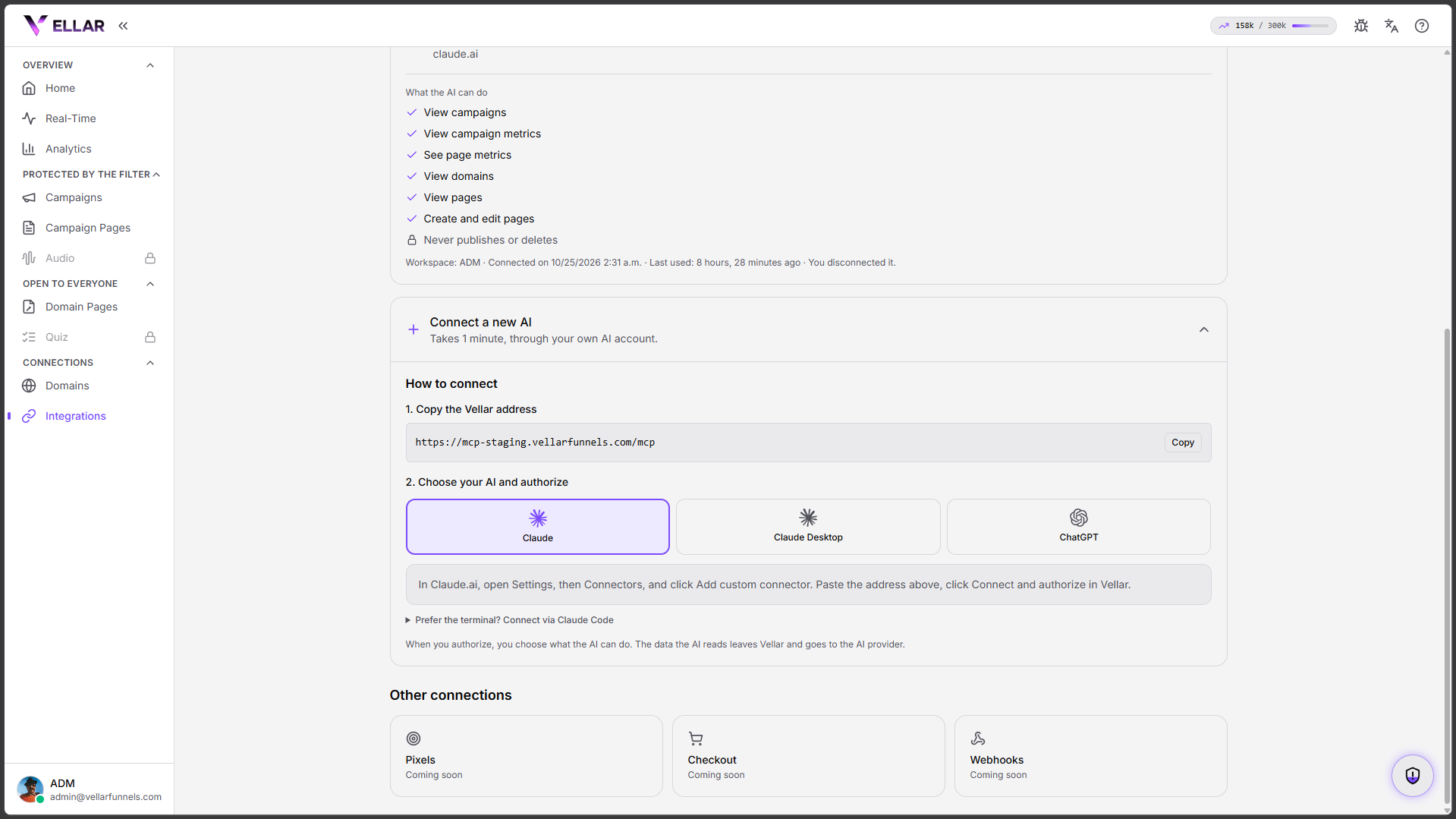
How to connect
- Go to Integrations and, under Connect a new AI, copy the Vellar address.
- Choose your AI: Claude, Claude Desktop or ChatGPT.
- In your AI, add a custom connector, paste the address, click connect and authorize in Vellar.
- During authorization you choose what the AI can do.
Prefer the terminal? You can connect through Claude Code (advanced option).
What the AI can do
Once connected, the AI can:
- View campaigns and campaign metrics.
- See page metrics.
- View domains and pages.
- Create and edit pages.
- It never publishes or deletes anything on its own.
The data the AI reads leaves Vellar and goes to the AI provider (Anthropic/OpenAI).
Disconnect
On the connected AI card, click Disconnect: every active connection of that AI loses access right away.
Common issues
- The AI can't read the data. Make sure you finished the authorization in Vellar (adding the connector in the AI isn't enough) and that the connection shows as active in Integrations.
- I want to allow a team member. In Settings → Members, turn on Allow members to connect AI. With it off, AIs connected by members lose access right away.
Protect your campaigns with Vellar
Build the page and choose how to publish it: protected for paid traffic, or open for anything else.
See how it works