
Ad accounts
Register your ad accounts and link each campaign to its account.
An ad account in Vellar is just a nickname for your media account (Meta, Google, TikTok, Kwai), with no platform data. Linking a campaign to its account helps Vellar understand the ad review cycle.
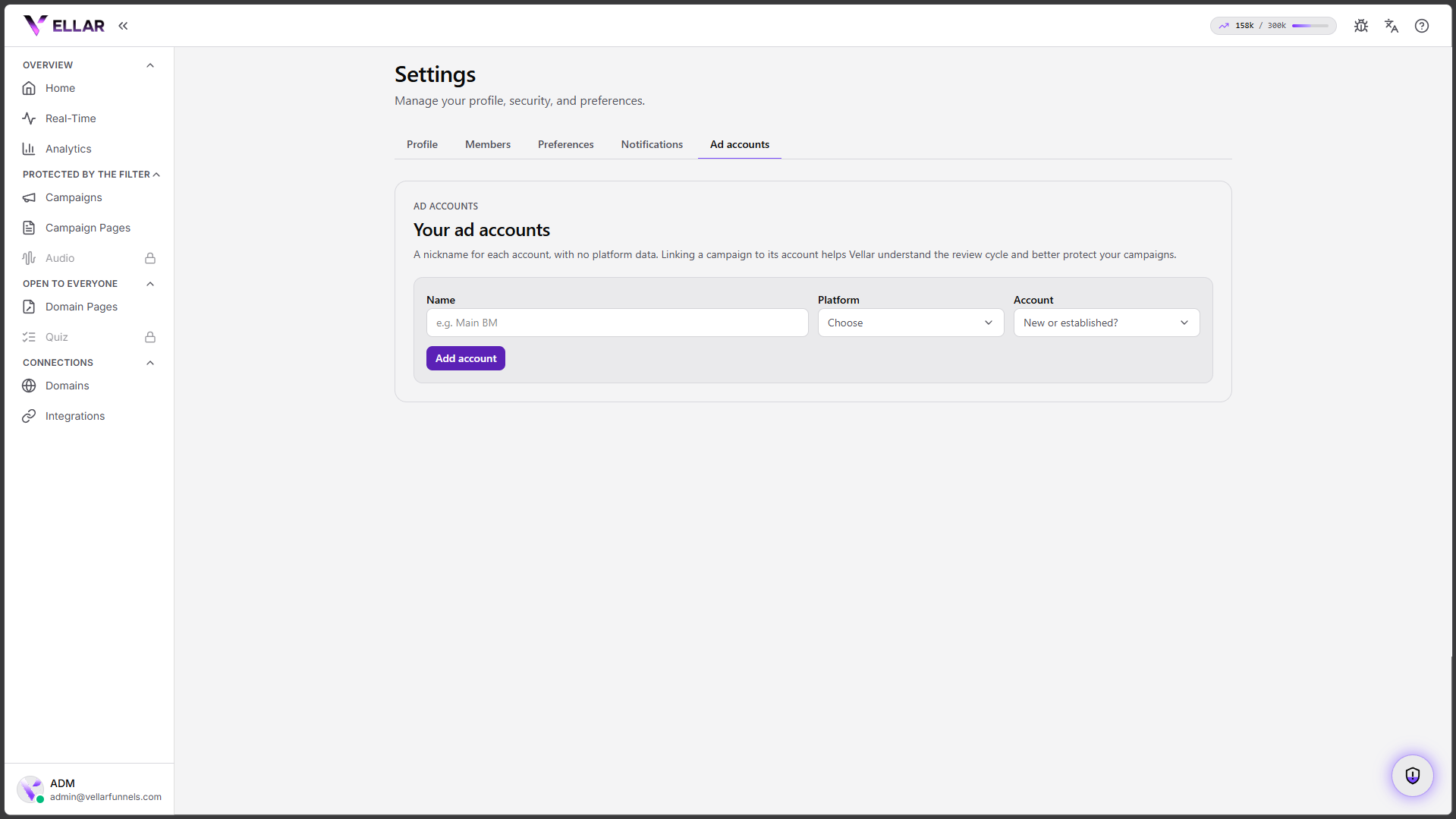
Register an account
- Go to Settings → Ad accounts.
- Give it a Name (e.g. "Main BM"), choose the Platform and say whether it's new or established.
- Click Add account.
Link it to a campaign and report changes
On the campaign, under Ad account status, set the campaign's account. Let Vellar know when something changes on the account:
- Ad approved
- Account suspended
- Account restored
This helps Vellar understand the review cycle and changes nothing your visitors see.
Common issues
- No account shows up to link. Register the account first in Settings → Ad accounts.
- I don't know if it's new or established. You can leave it blank / "I don't know": it's only for organization and context.
Protect your campaigns with Vellar
Build the page and choose how to publish it: protected for paid traffic, or open for anything else.
See how it works